Snag anything.
Save everything.
The best way to save content from the web. Capture links, screenshots, videos, articles, posts and more with Snag.
Never lose a link again. Instantly find your snags on the website or the App.
How it works
Three steps. That's it.
1. Tap Share
See anything worth saving? Tap the share icon in any app or browser.
2. Tap Snag
Select the Snag App icon from the share sheet. If Snag doesn't appear after tapping Share, scroll and tap "More." The more you use Snag the sooner it will appear in your top suggestions.
3. Save to Snag
Your save appears in a popup with a thumbnail. You can give your Snag a title, note and organize it into a collection. When you're done just hit Add.
Search, Find and Open
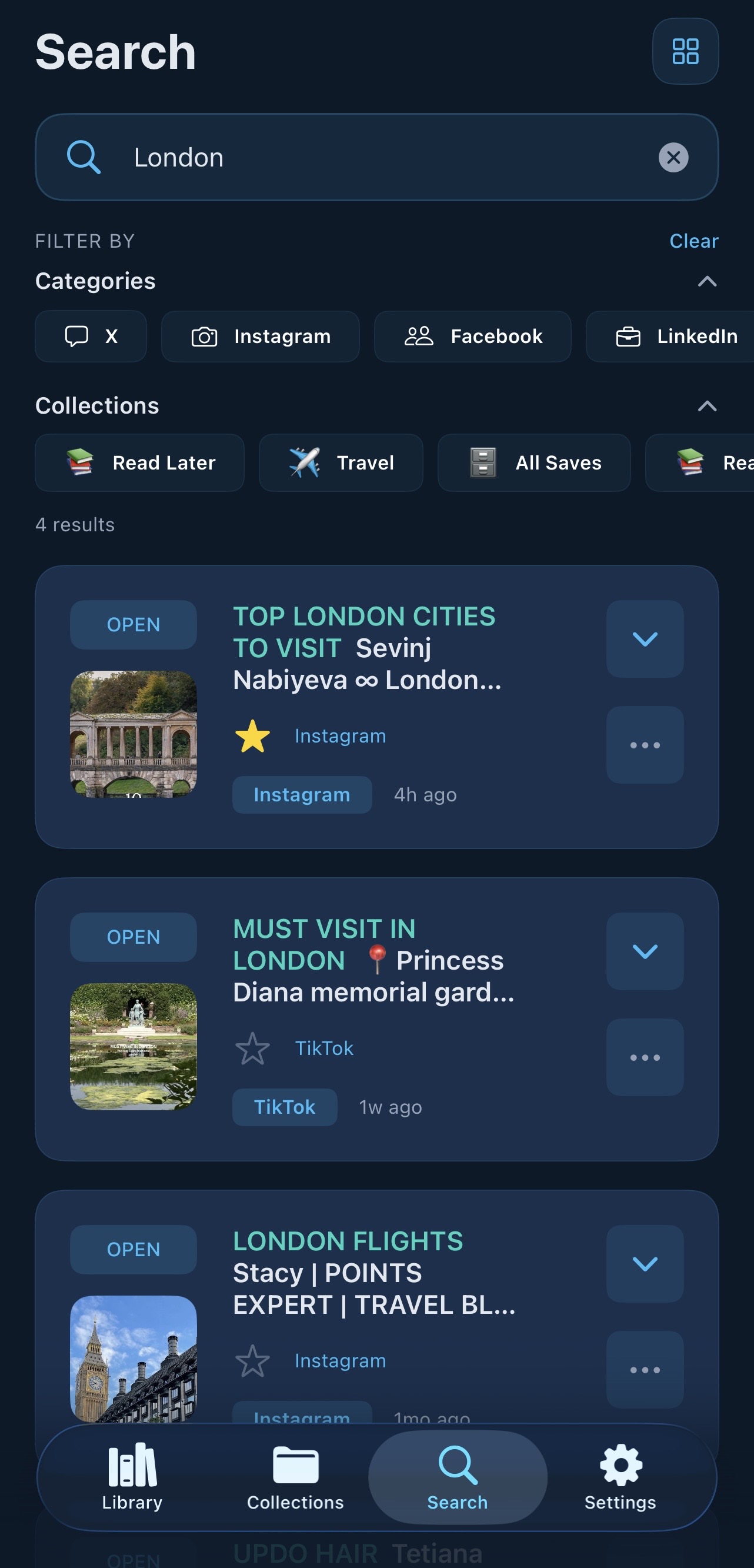
Browse, search, find, review and open any saved Snag — on the app or website.
Everything you need to stay organized
Snag goes beyond bookmarks. It's your personal content library.
Save Any Link
Save articles, videos, products, recipes, screenshots - anything from any app or browser.
Screenshot Saves
Save screenshots directly into Snag with automatic OCR text extraction.
Instant Search
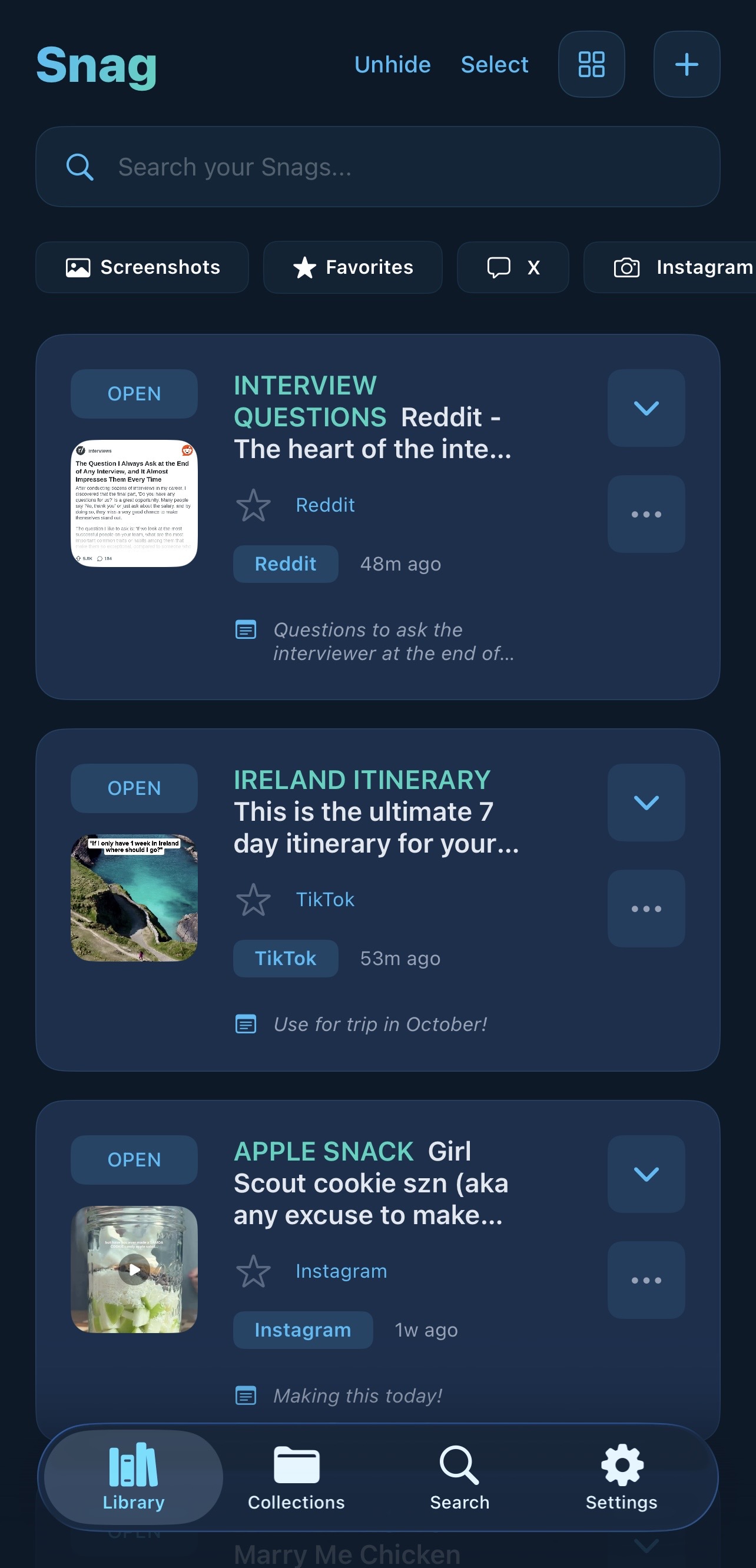
Find anything you've snagged in seconds. Search titles, descriptions and even text within your saved snags.
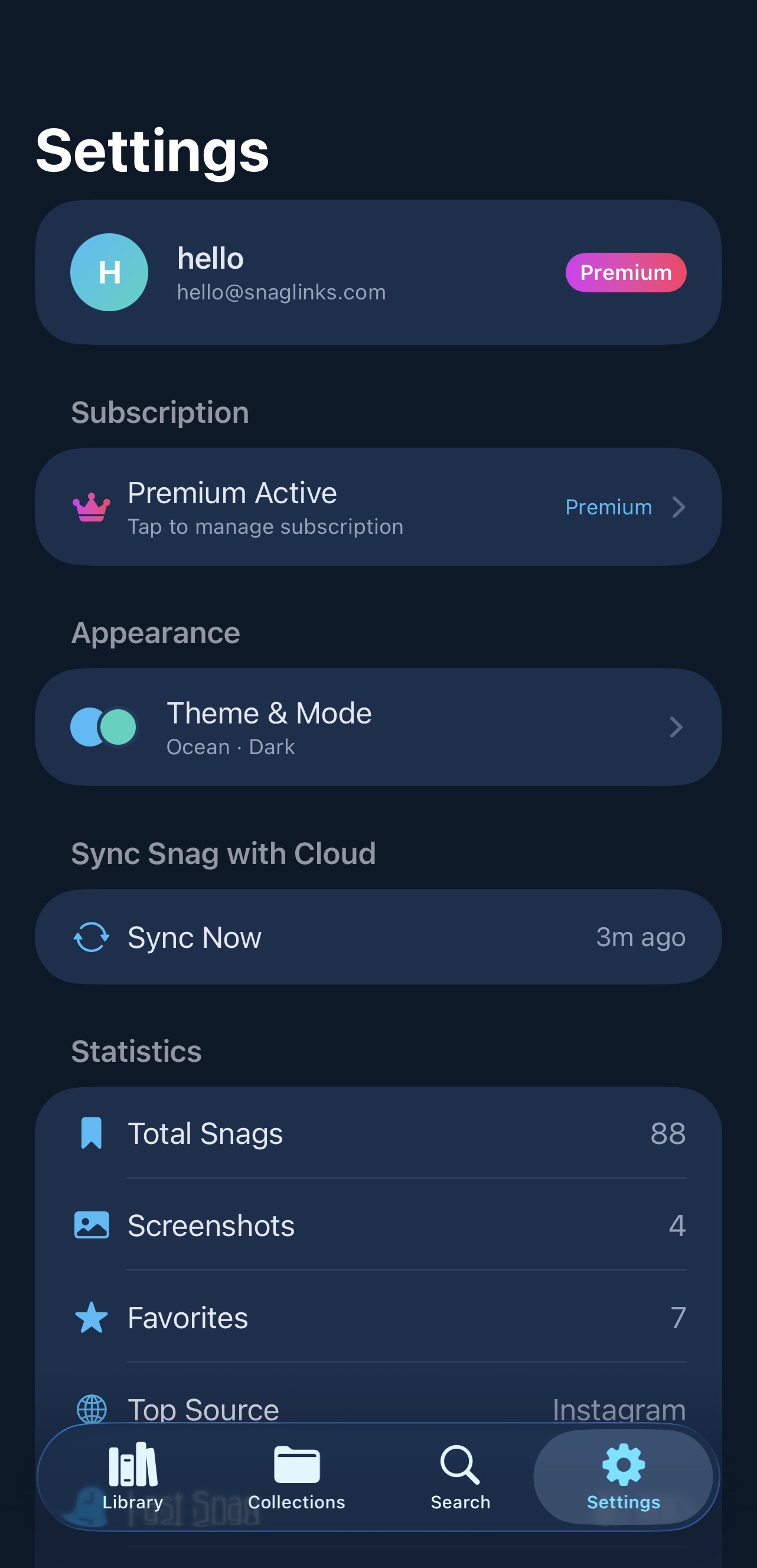
Library & Favorites
Everything you save lives in your personal library. Star your most important snags to add them to Favorites for instant access.
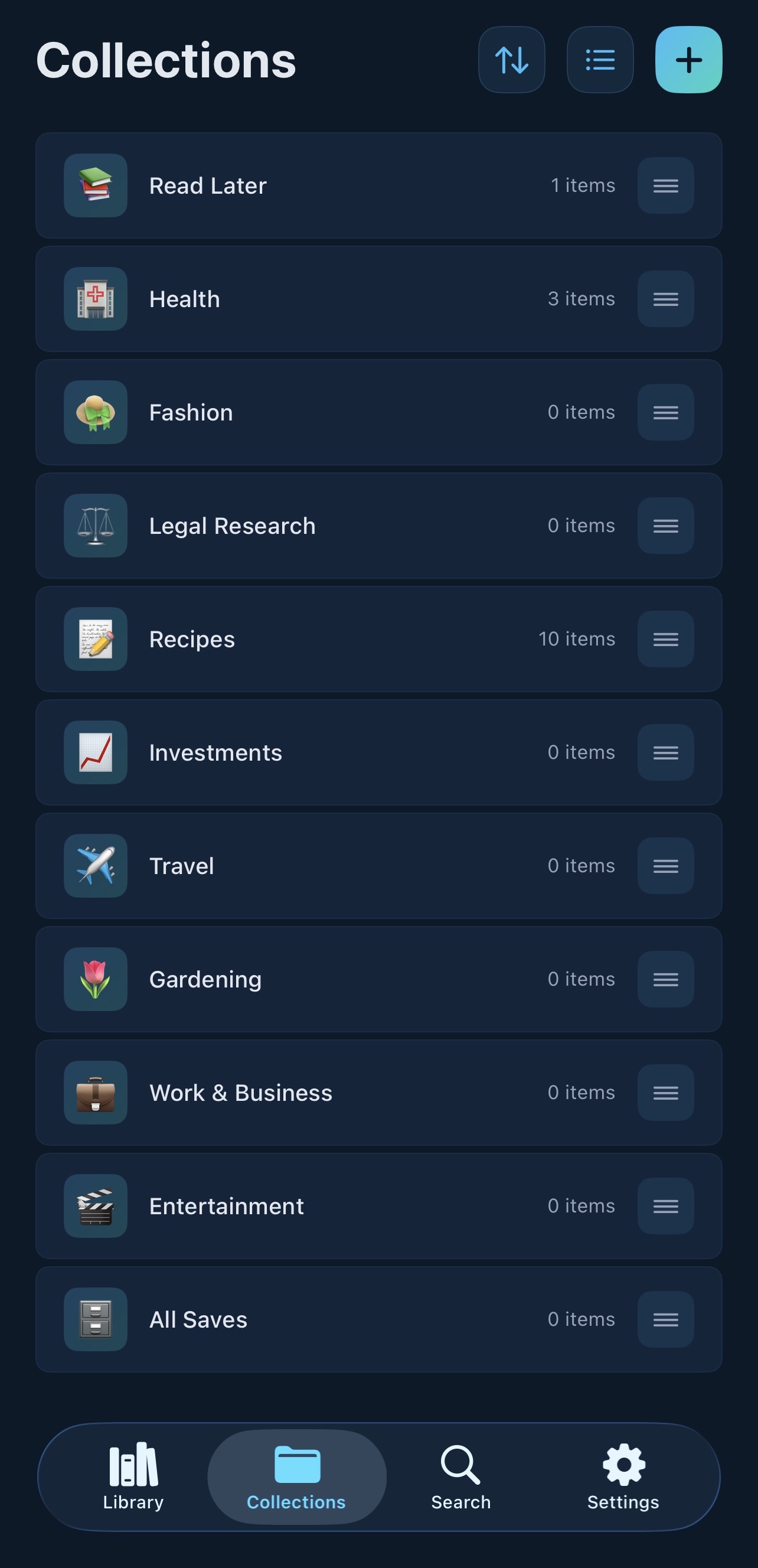
Collections
Create collections to group your snags any way you like — a trip you're planning, a shopping list, a research project, a recipe folder. Share collections with anyone.
Smart Metadata
Automatically fetches titles, thumbnails, and descriptions so every save is complete.
Choose your vibe
Pick a theme. It changes everything.
Simple, honest pricing
Try the full app free. Upgrade only when you need more.
Free
Try Snag with no credit card required.
Forever free
- Save links, articles, videos & screenshots
- Collections to organize your saves
- Favorites for quick access
- Screenshot OCR
- Share Collections with anyone
- Search across your saves
- iOS & Android app + web portal
Monthly
Remove the limit. Save without limits.
7-day free trial — no charge until after
- Everything in Free plan
➕ Plus
- Unlimited saves
- No limits — save as much as you want, forever
- Your complete personal web archive
- Early access to every new feature as we release it
- Cancel anytime
Annual
BEST VALUE — 4+ months free.
🎉 4+ months free
Just $4.17/mo · 7-day free trial included
- Everything in Monthly and Free plan
➕ Plus
- 4 months free
- Just $4.17/mo — less than a coffee
- Your best price, locked in as long as you stay
- 7-day free trial — risk free
No hidden fees. Cancel anytime. Your saves are always yours.
Common questions
What do I get on the free plan?
The free plan gives you 30 saves and the full Snag experience — collections, favorites, screenshot OCR, share collections, and access on iOS, Android, and the web. No credit card required, no time limit.
What's the difference between Monthly and Annual?
Both plans give you unlimited saves and everything in the free plan. Monthly is $6.99/mo — flexible, cancel anytime. Annual is $49.99/year — same great features, just a bigger upfront saving. Both include a 7-day free trial.
What happens when I hit 30 saves on the free plan?
Your existing saves stay safe and accessible — nothing is ever deleted. You just won't be able to add new ones until you upgrade to a paid plan.
Can I cancel anytime?
Yes, cancel anytime — no questions asked. On iOS, cancel in Settings → Apple ID → Subscriptions. On the web, cancel through your account at cloud.snaglinks.com. Cancel at least 24 hours before your renewal date to avoid being charged. Your saves are yours forever — we never delete them. After cancelling you keep full access to everything you've saved, you just won't be able to add new ones beyond the 30 free limit.
Is Snag available on Android?
Yes! Snag is available on iOS and Android, plus the web at cloud.snaglinks.com. Save on any device, access everywhere.
Is there a free trial on paid plans?
Yes — both Monthly and Annual plans include a 7-day free trial. No charge until after the trial ends. Cancel anytime during the trial and you won't be billed.
Ready to start snagging?
Never lose a link again!
Free to start — no credit card required.